Posts

Showing posts with the label GWT

SuggestBox in GWT - The correct way to create and populate.

Hi everyone, its been a while. Here, in this post, I will be discussing about creating, initializing and populating a suggestbox in gwt. Suggestbox is a text box or text area which displays a pre-configured set of selections that match users input. Suggestbox is similar to an autocomplete search box. Each Suggestbox is associated with a single SuggestOracle. The SuggestOracle is used to provide a set of selections given a specific query string. SuggestBox uses a MultiWordSuggestOracle as its oracle. Following are the steps to create and populate a SuggestBox and declaration of MultiSuggestOracle. 1) First step is to declare MultiSuggestOracle. private   final  MultiWordSuggestOracle oracle =  new  MultiWordSuggestOracle(); 2) Create SuggestBox @UiField  (provided =  true )  SuggestBox sbox =  new  SuggestBox(oracle); The important thing to remember is to add (provided = true). 3) Populating the SuggestBox ...

Deploying application of Google Web Toolkit on Tomcat Server

Image
Hi Everyone, in this blog post, I will describe about how to display the application for Google Web Toolkit in Apache Tomcat. Apache Tomcat is an open source web server and servlet container developed by the apache software foundation. Please check the reference for knowing more about tomcat server. This blog is based on my previous blog post - Sample Application in GWT.  Please go through my previous blog post to get a better idea. In this post, I will be deploying the application, which I wrote in the previous blog in tomcat. Deployment is the term used for installing an application in your server. In tomcat, the web application itself is setup in 2 different ways, which are : Statically - The web application is setup in tomcat before it is started. Dynamically - By directly manipulating already deployed applications or remotely by using tomcat web application manager. Following are the steps to be followed to deploy the application in tomcat. For deploying the app...

Sample program for GWT

Image
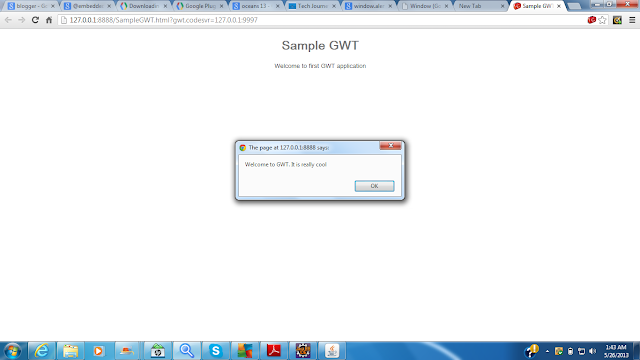
Hi everyone, in this blog post, I will be writing a sample program on GWT. Please go through my previous post, Introduction to GWT , which will give you a basic idea about GWT. Here, I am creating a sample gwt application which displays an alert button. The name of the project is SampleGWT. To create a project, click on the google icon in eclipse and choose "New Web Application Project". The main folders in a gwt application are as follows :- 1) src - src include the source folder, where the source code is written. In GWT src includes, a) Client folder - Contains java classes for User Interface. The entry point of the application will be usually in client folder. b) Server folder - Contains java classes for server side processing. Usually server folder includes servlets. c) Shared folder - Contains java classes for transferring data from client to server. d) Module descriptor file - This file will be named as our project_name.gwt.xml. This file is required f...

GWT for beginners - Introduction.

Image
Hi Everyone, from this post onwards I am planning to write about GWT (Google Web Toolkit) as it is currently used for many web development projects. GWT is an open source set of tools that allow web developers to create and maintain complex JavaScript front end applications in Java. Following are some of the specifications and features of GWT :- GWT is used to create RICH Internet Application (RIA). GWT provides option to write client side application in JAVA. GWT automatically generates javascript code suitable for each browser. GWT provides full debugging capability. Developers can debug the client side application just as an Java Application. GWT is licensed under apache license version 2.0. GWT provides easy integration with JUnit and Maven. GWT provides widget libraries. GWT has simple RPC mechanism. GWT has support for Internationalization and localization. HTML canvas support. GWT has support for using Google APIs. A number of libraries are available for GWT, by...